WordPress is a good choice if you manage a lot of content and a wide range of plugins matters to you. Webflow and Framer are ideal for presentation sites that are quick to build and easy to edit. You need a custom build if the website is really an application, with its own logic and user accounts.
1. The four routes side by side
| Aspect | WordPress | Webflow and Framer | Custom build |
|---|---|---|---|
| Strength | A large plugin library and handling lots of content. | Fast building, a visual editor, built-in hosting. | Any behaviour, and full control over the code. |
| Editing | A comfortable editor, if it is set up well. | Copy and collections are easy to edit. | A content management system can be connected, but it has to be built separately. |
| Maintenance | Needs regular updates for the core and the plugins. | The provider takes care of updates. | Looked after by the developer, and you set the pace of updates. |
| Where it is limited | When many plugins slow it down, or custom behaviour is needed. | When complex, app-like behaviour is needed. | Too big an investment for a simple presentation site. |
| Type of costs | Hosting and plugin maintenance. | A monthly subscription to the provider. | Developer work and running costs. |
There is a difference between Webflow and Framer too. Webflow allows more detailed control over structure and content management, while Framer sits closer to a designer’s workflow, and you can build striking pages in it very quickly. Both are a good choice for a presentation site.
2. Which one to choose
A ready-made platform is enough if
- you are building a presentation site or a blog
- your team wants to edit the content often
- you need to go live quickly
- the behaviour stays within the usual limits, with forms and content pages
You need a custom build if
- visitors create accounts and manage data on the site
- your own business logic runs behind the site
- performance and full control over the code matter
- the interface connects to other systems, for example booking or invoicing
3. An example from our work
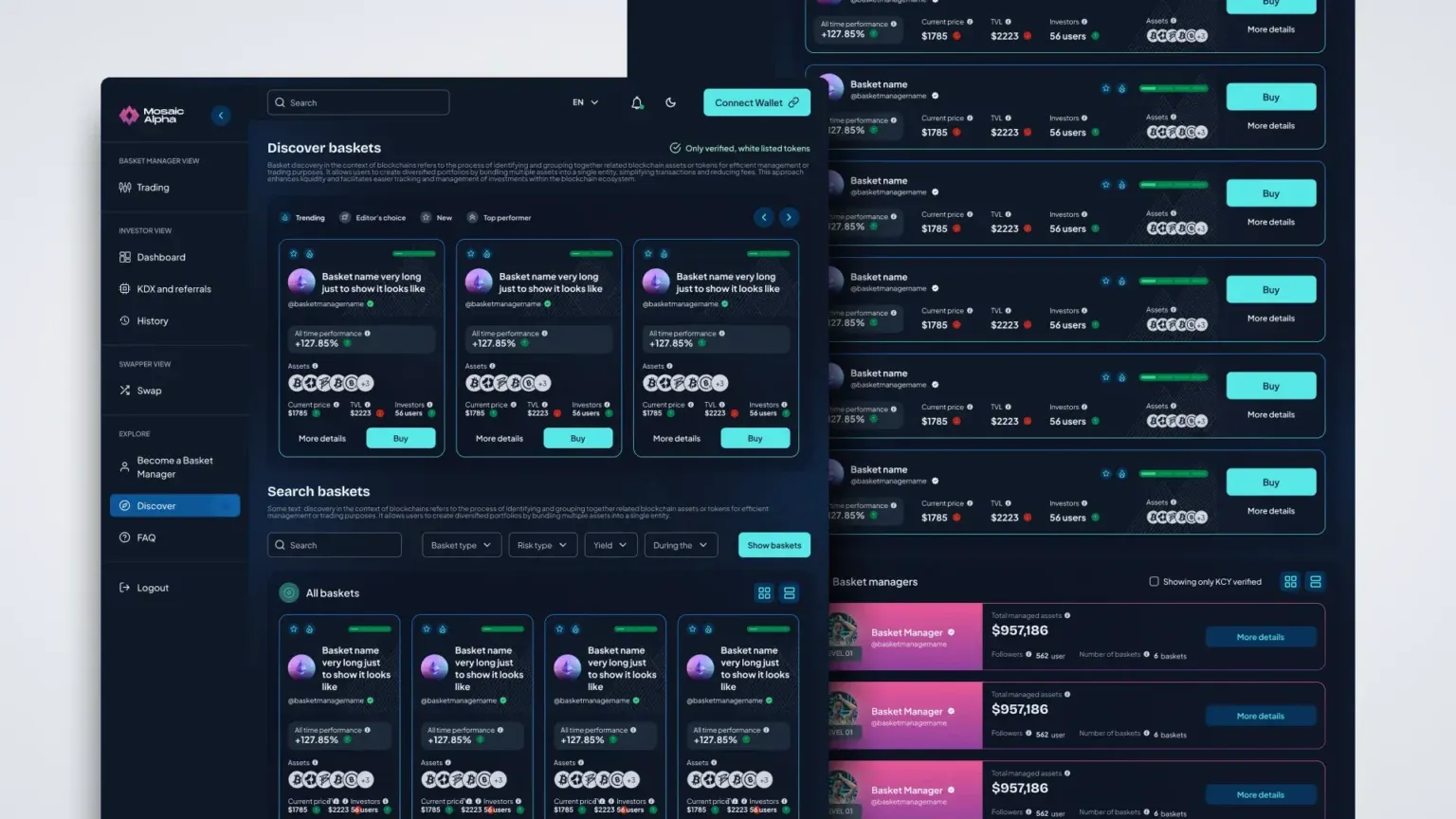 Mosaic web app product design For Mosaic Alpha we designed a complex web app alongside the marketing site, where users create and manage investment baskets. An interface like this needs a custom build behind it, which a ready-made site builder could not provide. See the case study
 4. How the design fits in
The design works with every route. We make the screen designs so that they can be built on the chosen platform, and if needed we adapt the design system to it as well.
If you ask us for development too, it is optional, and we recommend the platform once the designs are known. If you have your own developer, we hand the designs over in agreement with them, with detailed notes and every state included.
5. About editing the content
When choosing a platform, many people focus on looks, yet in everyday use editing matters more. If your team updates news, case studies or job ads every week, you need a platform where this takes a few minutes and no developer.
In WordPress and Webflow alike you can create collections, for example for case studies or blog posts, which your team fills in on a simple form, and the site automatically displays them in the designed layout. With a custom build, the same can be achieved with a separate content management system.
So during the design we also look at which content changes often, and design templates for it. This way an editor cannot accidentally break the layout of a page, and new content looks just like the old.
6. Questions that guide the decision
- Who will edit the content, and how often.
- Whether visitors need to log in or manage data on the site.
- Whether the site connects to another system, for example booking or a webshop.
- Whether you already have a developer or a team who knows a particular platform.
Once you have these answers, choosing the platform is usually a matter of one conversation. The worst decision is choosing on an acquaintance’s recommendation, and only finding out later that the platform cannot do what you need.
7. Frequently asked questions
Can I switch platforms later?
You can, but it usually means rebuilding. That is why it is worth deciding after the design, when it is clear what pages and what behaviour you need.
Does a WordPress site need regular maintenance?
Yes, the core and the plugins should be updated regularly, because old versions can slow the site down and leave security gaps. A developer or a hosting provider can take this on.
Which one is faster for search engines?
You can build a fast site with any of them. Speed depends more on the size of the images and on having many plugins, so we keep an eye on these during the design.
Is Webflow or Framer enough for a webshop?
It can be enough for a simpler product range, but for a larger webshop a platform built for it is usually the better choice, for example Shopify, or Shoprenter and UNAS, which are popular in Hungary.
Which one do you recommend?
We have no favourite platform and always start from the goal of the site. At the end of the design we write down which platform suits the interface and why, and if you ask, we take on development too.