An audit is enough if the foundations of the interface are sound and the problems appear at a few well-defined points, for example at checkout or on a form. You need a redesign if the problems come from the structure itself, or if the product has grown so much that it no longer fits the old structure.
1. The two side by side
| Aspect | UX audit | Redesign |
|---|---|---|
| What you get | Annotated screens, a list of fixes ordered by priority and a short summary for decision-makers. | User journeys, a clickable prototype, a design system and developer-ready screen designs for desktop and mobile. |
| What it changes | It fixes the existing interface where visitors get stuck. | It rethinks the whole structure, from the navigation to the system of screens. |
| Development needed | Smaller changes that can be scheduled one by one. | Development of a new interface, best delivered in one go. |
| Risk | Low, because the familiar behaviour stays. | Higher, so you try the prototype before launch, and if needed we also test it with users. |
| When you see the effect | The fixes can go live one at a time, so you quickly learn which ones work. | All at once, after the new interface goes live. |
The two routes do not exclude each other. Often the audit reveals that most of the problems come from one or two places, and once these are fixed the interface serves you well for years. At other times the audit shows that fixes would only treat the symptoms, and that the money is better spent on a well-planned new interface.
2. Which one to choose
An audit is enough if
- visitors get stuck at a few specific points, for example in the basket or on a form
- the look and structure of the interface still serve your goals
- your development capacity covers smaller changes
- you want to know where the biggest problem is before committing a larger sum to a redesign
You need a redesign if
- the product has grown so much that new features no longer fit the old structure
- every fix causes a new problem somewhere else
- there is no consistent system behind the interface, and every screen works differently
- you are launching a new product, or the audience of the existing one is changing fundamentally
3. An example from our work
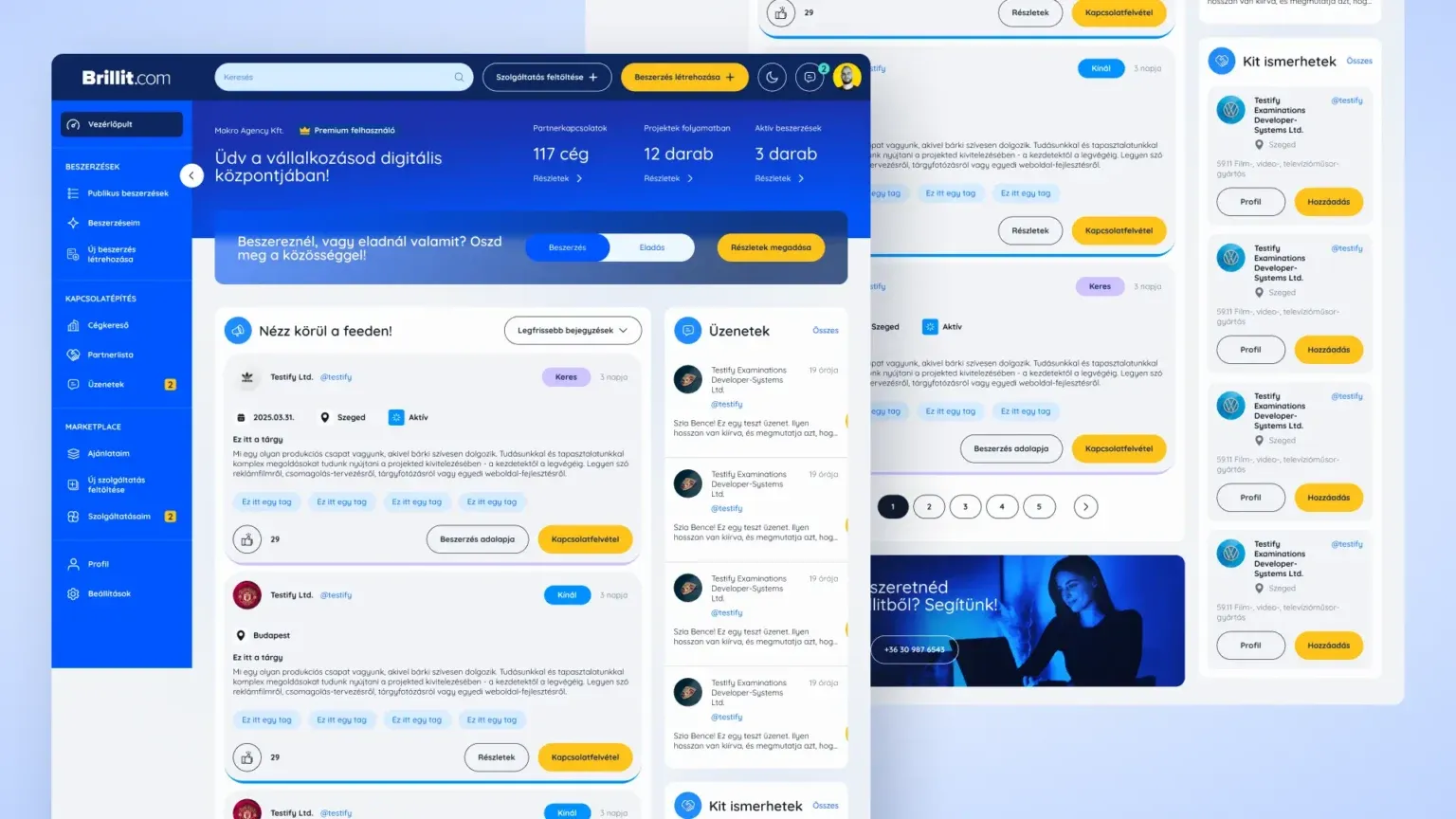 Brillit web app UX/UI design At Brillit we redesigned a live, two-sided platform, because the side for people searching and the side for service providers had to be brought into one consistent system without breaking the features users were used to. See the case study
 4. What the audit shows
In the audit we walk through the user journey from arrival to purchase or enquiry, and where we have access, we compare what we see with the analytics data. We mark every problem on a screenshot, and write down why it causes trouble and what we suggest instead.
At the end of the list you see the tasks in order of importance. It also becomes clear whether the problems are scattered and can be fixed one by one, or whether they come from the same structural flaw. In the latter case the audit is also the first step of the redesign, because the problems it found become the starting points of the design.
When redesigning a live interface, the biggest question is usually how to keep the features users are used to while making the system more consistent. A clickable prototype is the safest way to try this out before development starts.
5. How to prepare for the audit
The more precisely we know what you expect from the interface, the more the audit gives you. A few things are worth gathering before we begin.
- The goals of the interface, for example how many purchases or enquiries you want, and which step matters most for your visitors.
- Access to your analytics, if you have it, or at least the traffic of your most important pages.
- The frequent questions and complaints your customer service receives, as these often point to a specific sticking point.
- Earlier designs and the development backlog, if you have them, so we can see what is already in progress.
From these we can see where to dig deeper, and the list of fixes ranks the tasks by your goals.
6. Frequently asked questions
Do you need analytics access for the audit?
It helps a lot, though we can work without it. The data shows where most people leave the interface, so we can back up our observations with it.
If I choose a redesign after the audit, is the audit wasted?
No, because the problems found and their order of importance become the starting points of the redesign, so the design also gets off to a faster start.
Does the mobile interface need a separate review?
We review mobile and desktop in one audit, because many of your visitors arrive on their phones, and there they often get stuck at different points than on a computer. The list of fixes shows which problem affects which view.
Do you carry out the fixes as well?
If you ask, we also make designs for the list of fixes. Development is optional, so we take it on if you want, or hand the designs over to your own developer.
What if I have no development capacity after the audit?
The list of fixes is ordered by importance, so you can start with the points that have the most impact, even one at a time. Many fixes are a change of wording or a simple setting that needs no bigger development.
Is there an even smaller first step?
Yes, UX/UI consulting. It is a joint session where we go through the key screens of your product along your questions, and agree right there on what is worth changing.